Navigate an OSDR Study Page
Single study: Use the Access Data in the Open Science Data Repository (OSDR) tutorial to navigate to a study of interest.

Navigation panel
To the left of the screen is the navigation panel, which allows users to go directly to a specific section of the study information.

Study Overview: OSD ID, Title, GeneLab ID, ALSDA ID and DOI
The top of the page contains the unique study ID (OSD-120, in the example below), followed by the title of the study. If the study contains omics data it will have a unique GeneLab ID (GLDS-120, in the example below), and if the study contains non-omics data (e.g. physiological or phenotypic data) it will have a unique ALSDA ID (LSDS-33, in the example below). The DOI provides a unique identifier for the entire study.

Clicking on the “Cite this Study” button reveals the reference for the study that should be used when referring to the study in manuscripts, presentations, posters, etc.

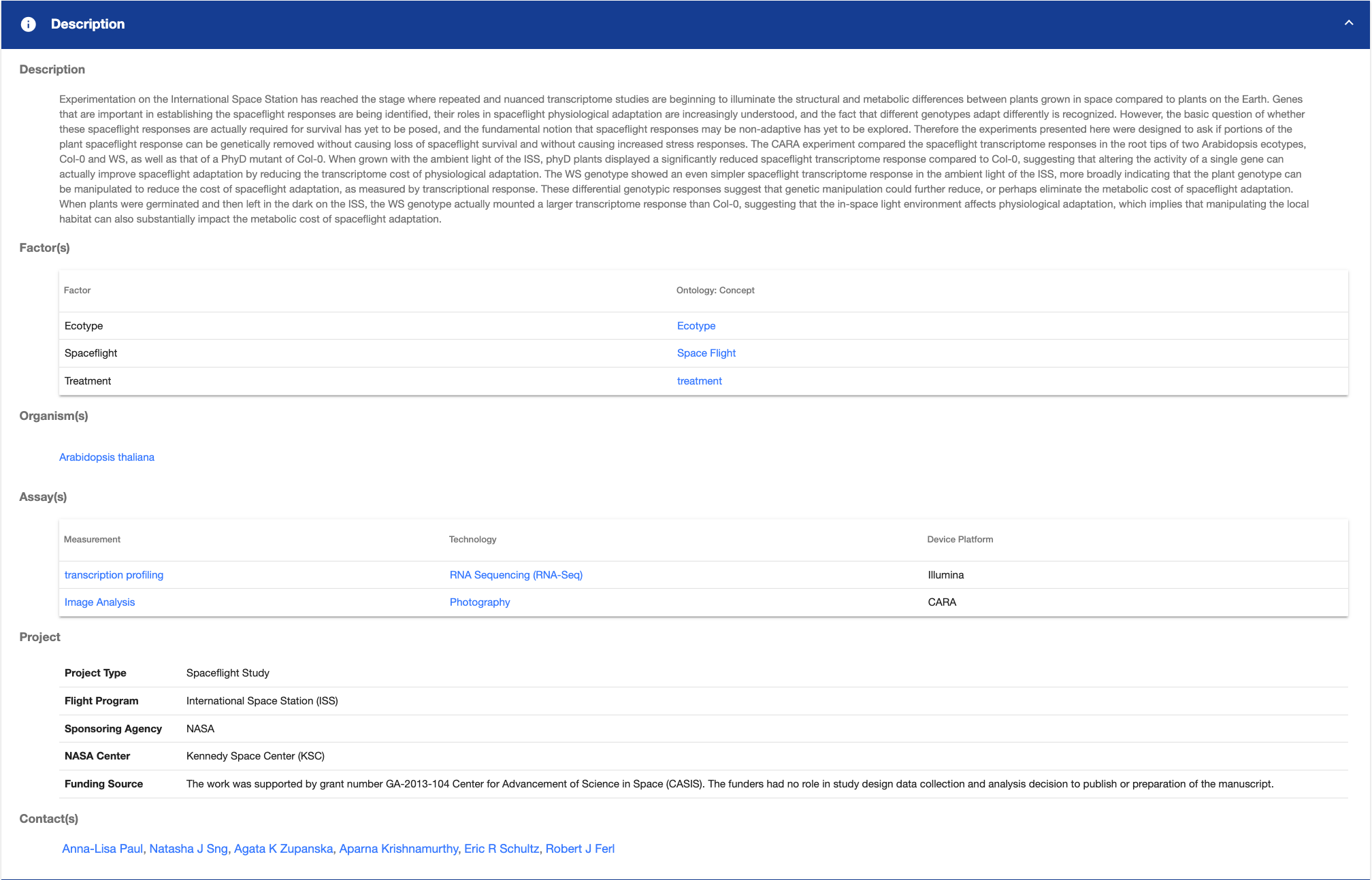
Description: Factor(s), organism, assay(s), project and contact information.
This section provides a description of the experiment, a summary of the factors, the organism used, assays performed and project information.
Experiments
A description and link to the experiment from which the study data was derived.

Payloads
A description and link to the payload that carried the experiment from which the study data was derived.
In the example below the payload identifier is CARA, which stands for “Characterizing Arabidopsis Root Attractions”

Missions
A description and link to the Mission, including the launch date and vehicle, that the payload was on. In the example below, SpaceX-3 is the Mission associated with this study.

Protocols
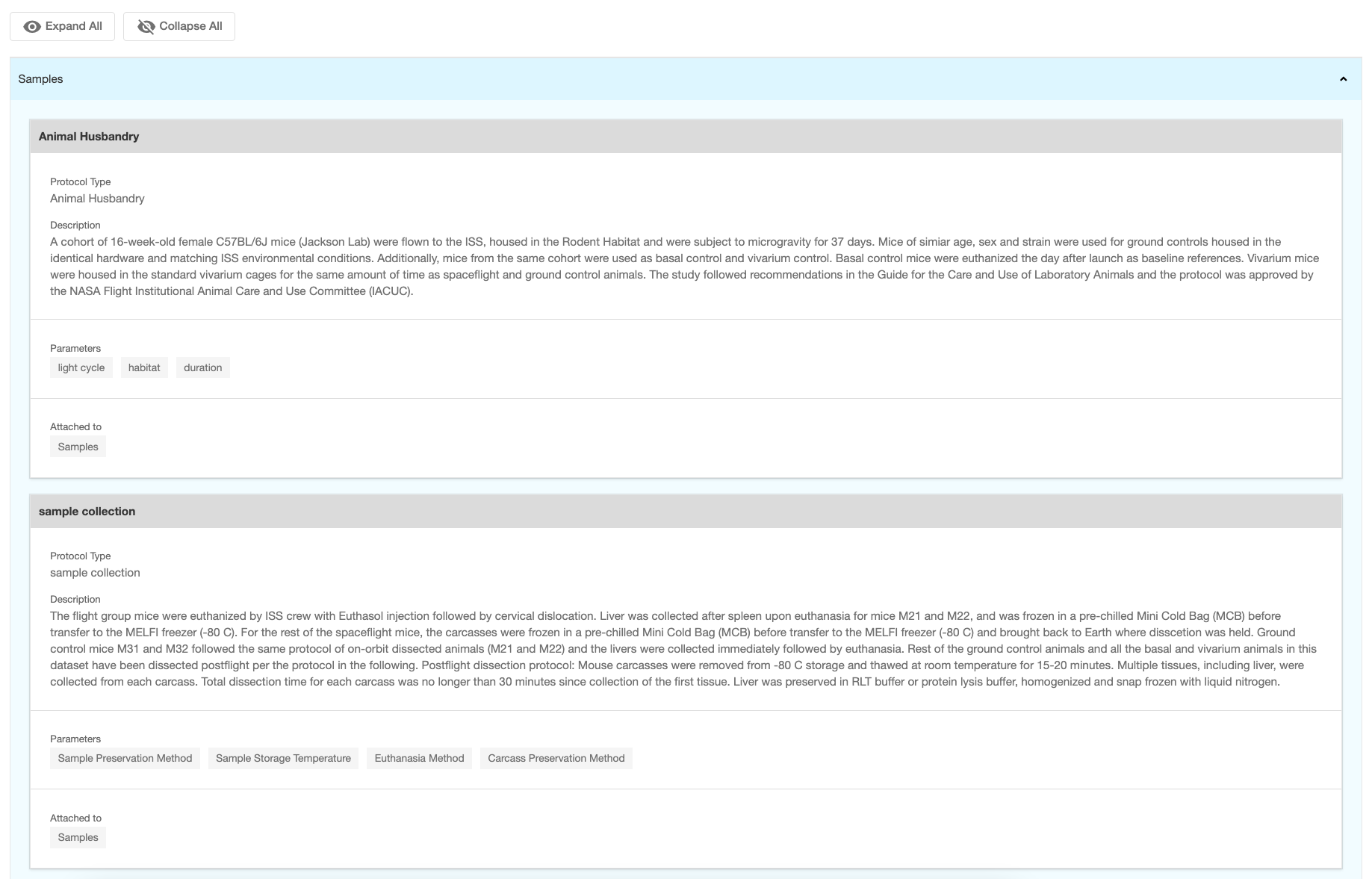
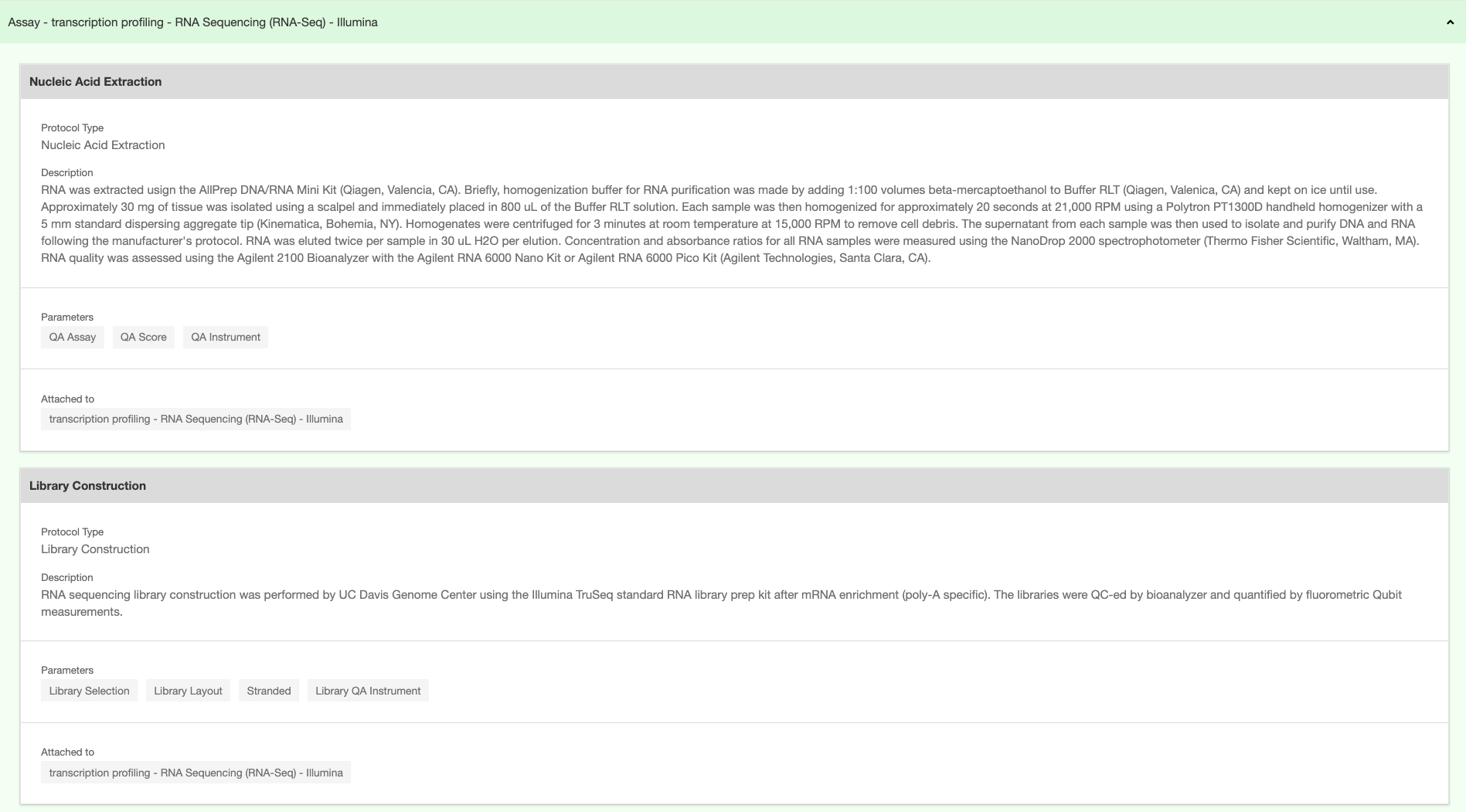
The protocol section contains all the information related to the procedures and equipment used to process the samples and to perform the assays associated with the study. Click on the Samples or one of the Assay boxes to expand to see the respective details.
Note: Each protocol is broken up into subsections describing the protocol used for each sample processing step, or each step of the assay.
Below is an example of the Samples protocol section:
Below is an example of the protocol section for an Image Analysis Assay (associated with a LSDS ID):

Below is an example of the protocol section for a RNA Sequencing Assay (associated with a GLDS ID):
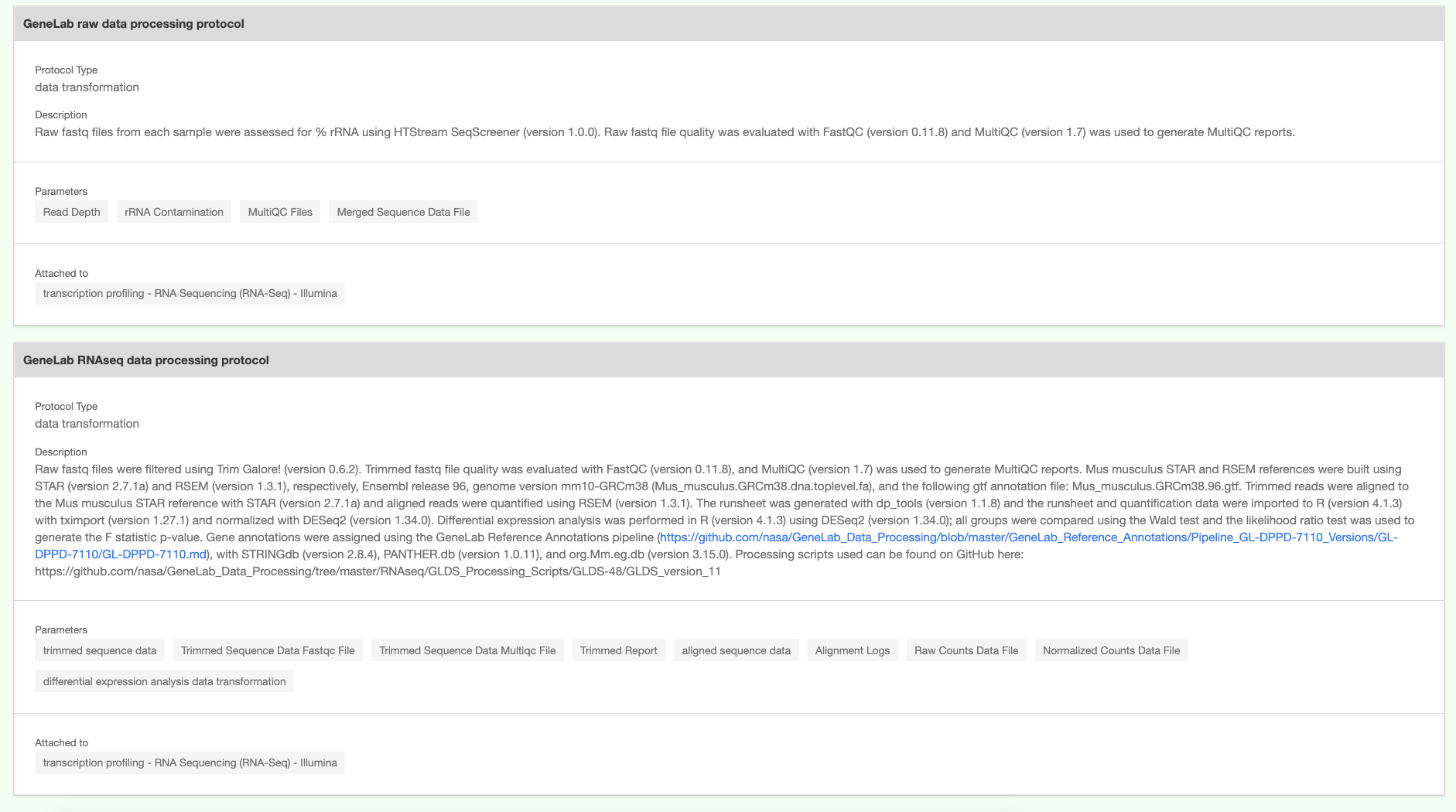
Note: For datasets that contain data processed by the GeneLab team, the processing protocols for those data are available in subsections titled “GeneLab raw data processing protocol” (for raw data QC) and the “GeneLab <assay_type> data processing protocol” (for processed data and QC) as shown below.
Samples
The sample section in the study page contains a sample table detailing the metadata associated with each sample in the study. Information provided includes species, tissue type or organism part, genetic background, age, sex, and treatment group (e.g. Flight or Ground Control). The bottom right-hand corner displays the total number of samples in the study and the number currently shown.
Selecting sample(s) metadata for export
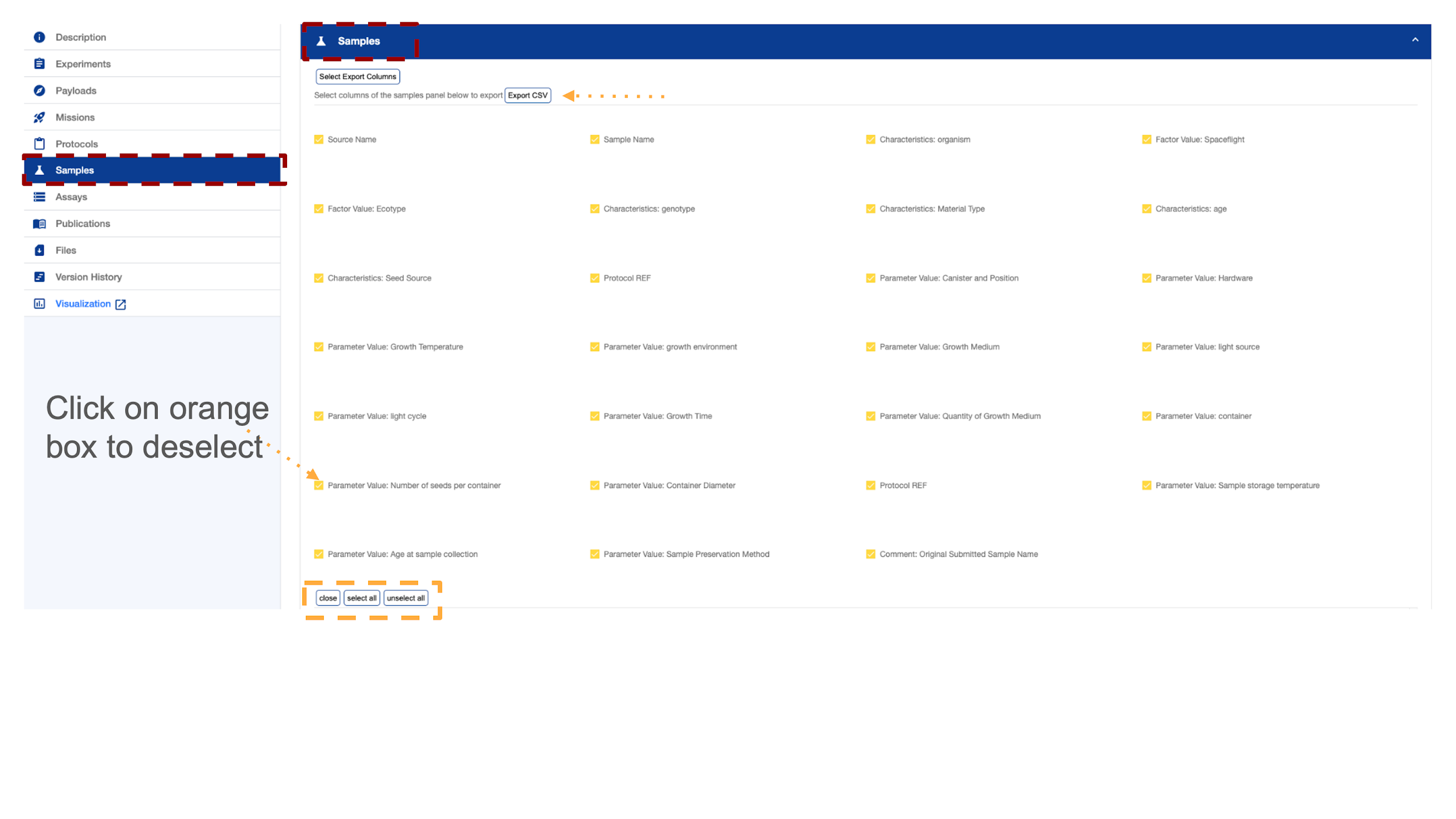
Use the scroll bar at the bottom of the table to see all the sample metadata columns. Specific columns can be selected for download by clicking on the “Select Export Columns” button (indicated with the orange dotted line arrow in the screenshot below).

Once all desired fields are selected, users can click “Export CSV” to download the sample metadata CSV file as shown in the screenshot below.
Assays
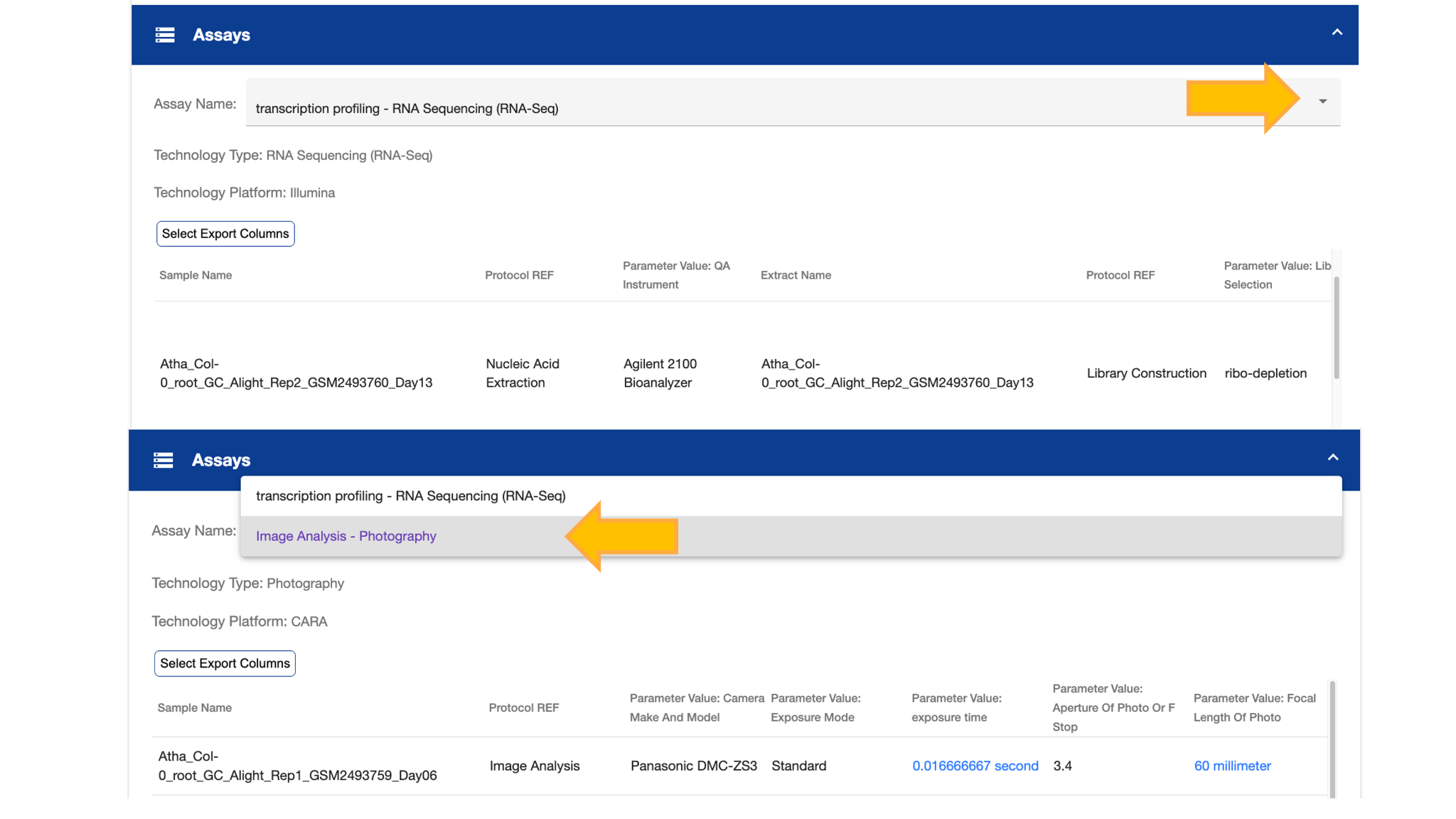
The assay section of the study page contains an assay table, populated with assay-specific metadata, for each assay in the study. Users can click on the “Assay Name” drop-down menu to switch between assays (indicated by the orange arrows in the screenshot below).
Selecting assay metadata for export
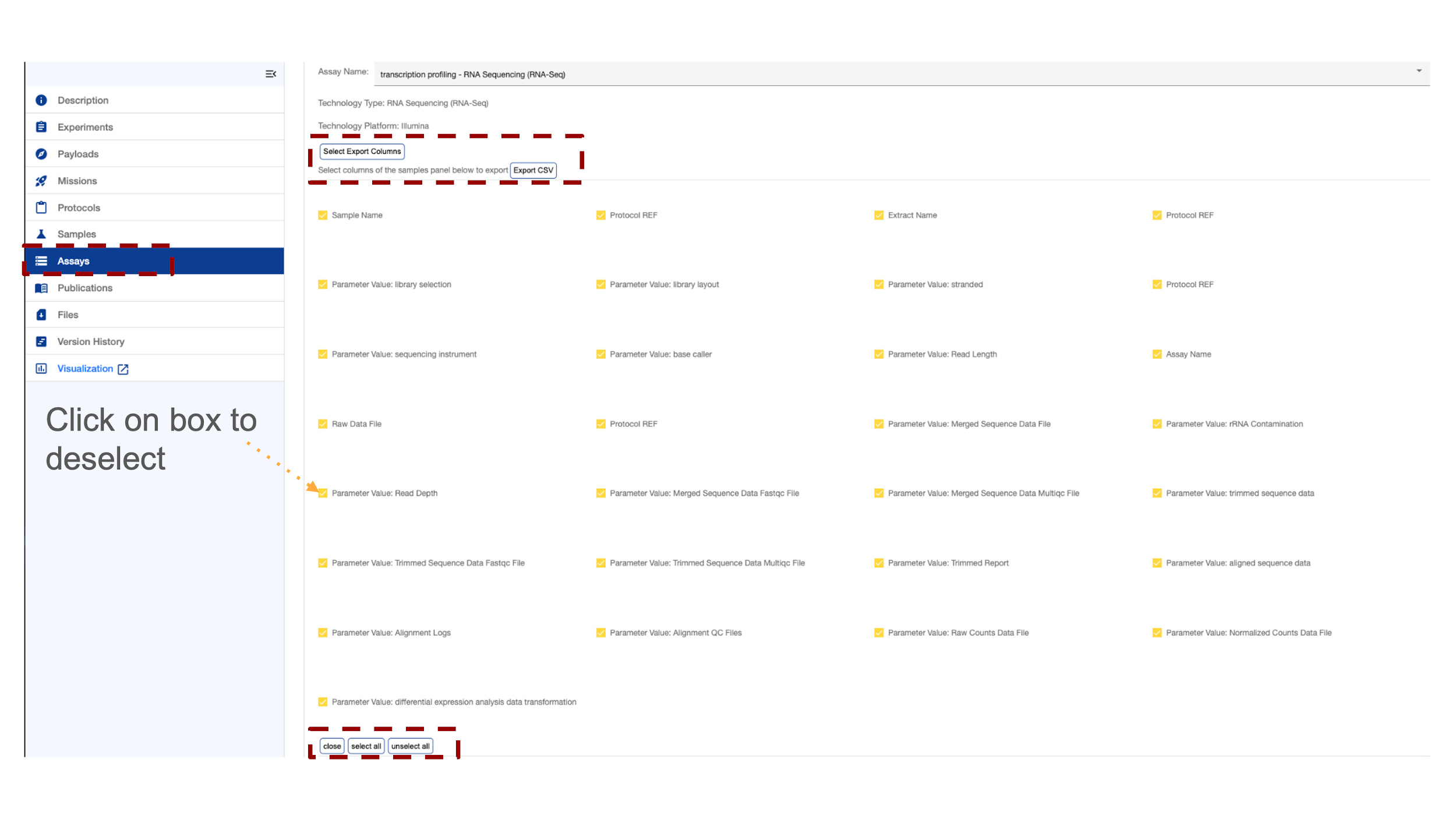
Use the scroll bar at the bottom of the table to navigate the assay metadata columns. Specific columns can be selected for download by clicking on the “Select Export Columns” button (indicated with the orange dotted line arrow in the screenshot below).

Once all desired fields are selected, users can click the “Export CSV” to download the assay metadata CSV file as shown in the screenshot below.
Publications
The publication section includes a list of primary publications associated with the study data and their respective links as shown in the screenshot below.

Files
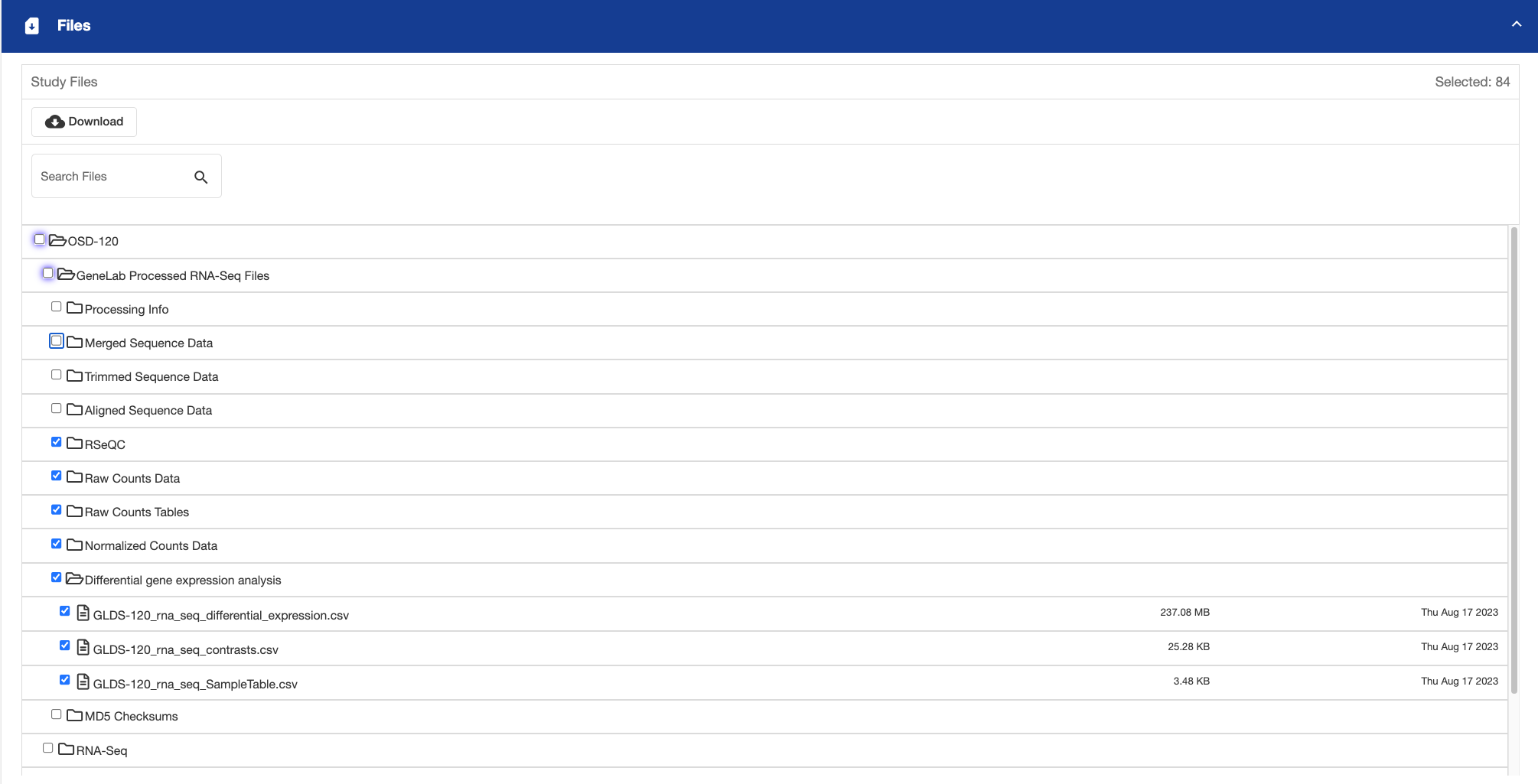
The files section allows users to access raw and processed files from each assay in the study. The files are organized into separate folders for each assay, study metadata files, and supplemental materials. Studies that contain GeneLab processed omics data also have a separate folder containing the GeneLab processed data files for the respective omics assay(s) as shown in the screenshot below.
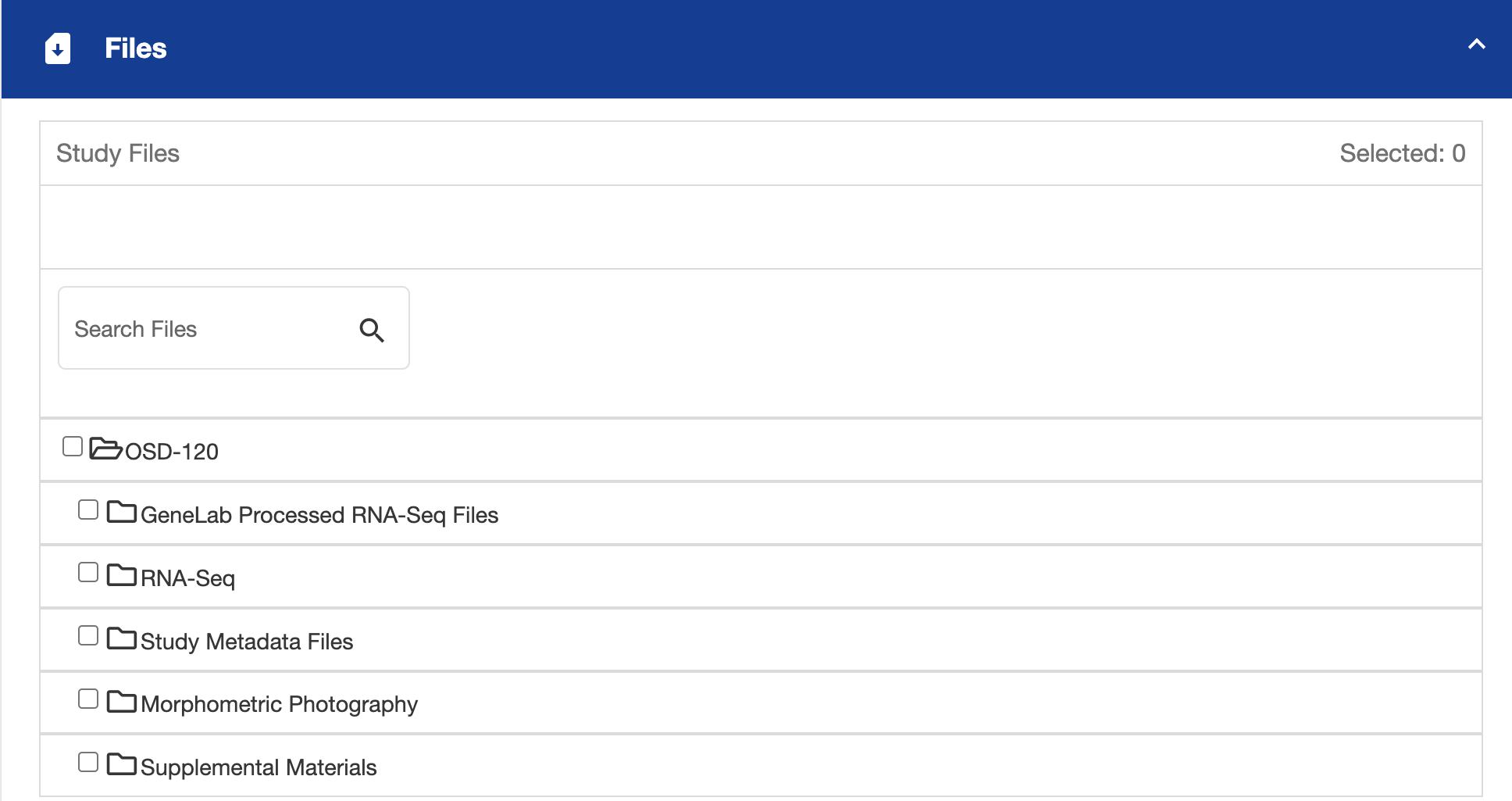
Click on the top-level folder to expand to view subdirectories and files available for download. Click on the box next to a folder to download all files in that folder, or expand to select individual files for download as shown in the screenshot below.
Version History
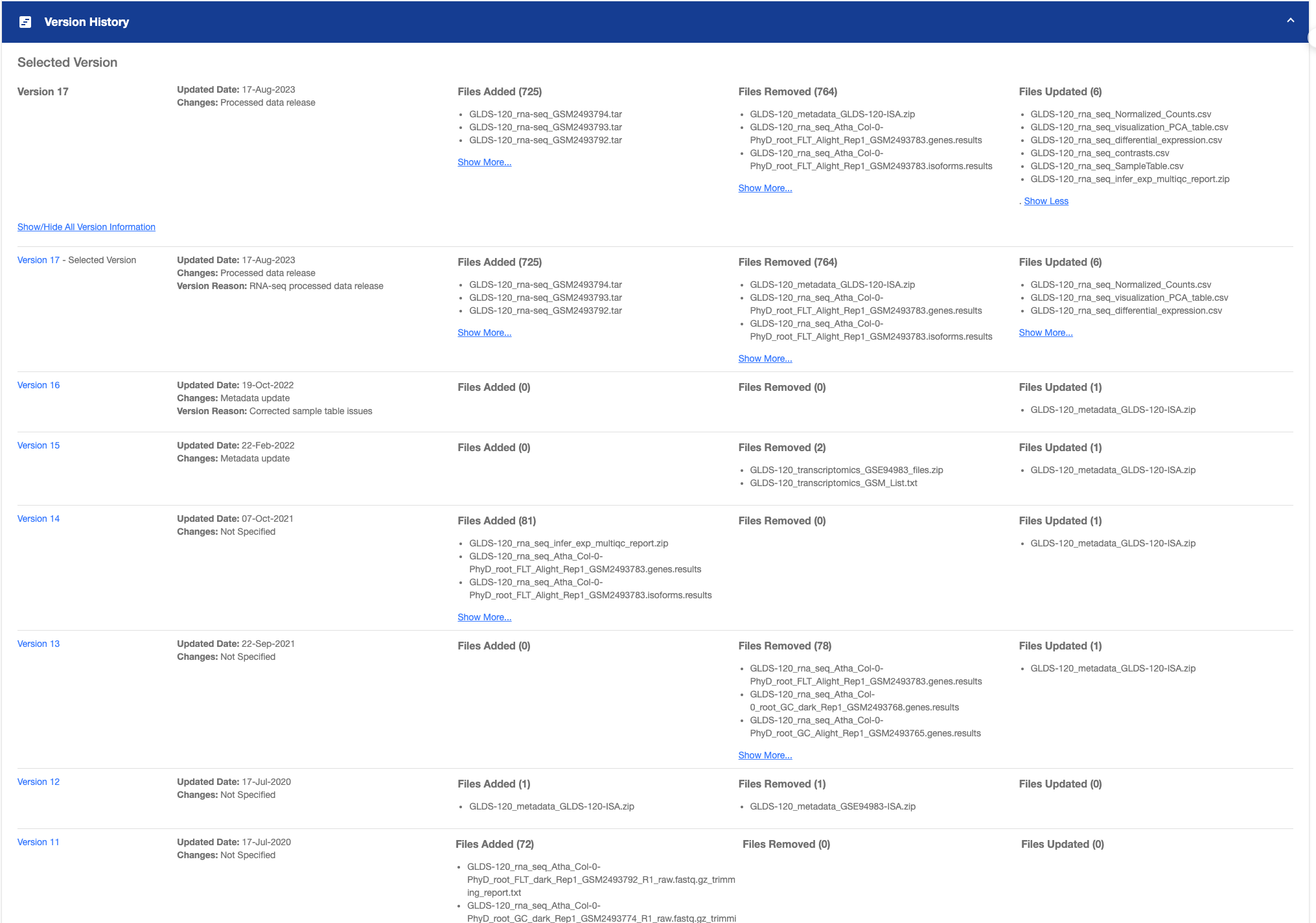
The version history section of the study pages shows the current study version, including the date the version was released and what was changed, including any files added or removed, as shown in the screenshot below.

To access previous study versions, click on “Show/Hide All Version Information” as shown in the screenshot below. Users can click on the previous version link to navigate to past versions of the study.
Visualization
Studies that contain GeneLab processed transcriptomics data can view the processed data in a series of interactive tables and plots by navigating to the OSDR visualization portal. See the Explore Data Visualizations tutorial to learn more.